


Measuring Tool Tracking: Check-Out and Return with QR Codes and RFID
17-11-2026
When measuring tools are shared across a workshop or laboratory, incomplete borrowing records can make them difficult to locate. Managers need to know who has taken a tool, whether it has been returned and what remains in storage.
QR codes and RFID identify tools and link check-out and return transactions with user records. A measuring tool management cabinet brings these records together with inventory and calibration information.
How QR Code and RFID Check-Out and Return Work
The main difference is whether users need to scan each tool. QR codes require individual scanning, while RFID identifies tagged tools without that step.
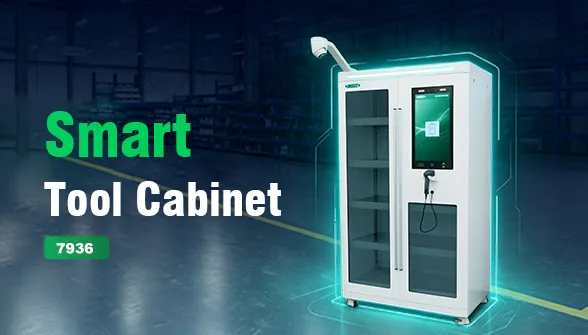
The INSIZE 7936 Smart Measuring Tool Management Cabinet uses the following procedures:
| Transaction | QR Code | RFID |
| Check-out | Log in, unlock the door, take the tool, scan its QR code and close the door. | Log in, unlock the door, take the tool and close the door. |
| Return | Log in, unlock the door, scan the QR code, place the tool back and close the door. | Log in, unlock the door, place the tool back and close the door. |
For both methods, the transaction is recorded automatically after the door closes.
Reviewing Inventory and Calibration Information
Check-out and return records help managers trace tool movements. If a tool is missing from the cabinet, its transaction history provides a starting point for locating it.
Inventory information shows what is in storage, while calibration expiry information helps managers plan calibration work. Low-stock alerts, abnormal-event notifications and report exports support routine reviews.
For tool crib management, keeping this information in one system makes records easier to find than separate manual logs.
What to Check Before Selecting a Cabinet
Start with the tools and the borrowing process. Individual QR code scanning may be sufficient for tools used occasionally. For frequently borrowed tools, RFID removes repeated scanning from the daily routine. Tool value, management requirements and budget also influence the choice.
Then review the cabinet and software together:
• Identification: Does the system support the required QR code, barcode or RFID labels?
• User login: Which login methods are available?
• Storage: Do the shelves and compartments suit the tools’ dimensions and quantities? Are storage positions clearly identified?
• Records: Can managers review inventory, access logs and calibration expiry information?
• Notifications and reports: Which alerts are provided, and can records be exported?
• Expansion: Can additional cabinets be connected as the inventory grows?
These checks help match the configuration to daily check-out, return and inventory tasks.
Measuring Tool Tracking with the INSIZE 7936
The INSIZE 7936 supports gauges and tools labelled with QR codes, barcodes or RFID tags. Login options include face recognition, fingerprint, employee card, and an account and password.
Remote management functions include importing user and gauge information, checking inventory and access logs, viewing calibration expiry information, receiving low-stock alerts and abnormal-event email notifications, and exporting reports.
The cabinet provides multiple storage levels, partitions and recessed compartments. Labels and reference photographs help users locate storage positions. One main cabinet can connect to up to four secondary cabinets of the same series.